Choosing a USB-C charger for an iPhone is more complicated than comparing the wattage printed on the box. Charging speed depends on the phone, the supported protocol, the cable, available power per port, and battery temperature. A good buying decision starts with the device you own rather than the largest number in an advert.
Editorial note. Independent editorial content using public specifications and buying criteria; not an independent laboratory test.
Start with your iPhone model, not the wattage
An iPhone does not automatically draw the maximum power printed on an adapter. Its charging circuitry negotiates the appropriate supply within supported limits. A 100W adapter will not necessarily charge an iPhone faster than a lower-powered compatible model, especially once the phone reaches its own limit. Before buying, check Apple’s requirements for your exact model and decide whether you need everyday charging, its fastest supported charging mode, or a single adapter for several devices.
USB Power Delivery is the key protocol
Most recent iPhones use USB-C and benefit from USB Power Delivery, or USB-PD. This protocol lets the adapter and device agree on suitable voltage and current. A USB-C connector alone does not guarantee every relevant charging profile. Look for explicit USB-PD support in the technical specifications, not generic marketing labels. Older Lightning models may require a suitable USB-C to Lightning cable. In every case, choose accessories compliant with applicable electrical safety standards.
When AVS actually matters
For iPhone 18 Pro, 18 Pro Max and Duo, Apple identifies particular requirements for the advertised fast-charging performance: a suitable USB Power Delivery 3.2 adapter supporting Adjustable Voltage Supply, or AVS. Apple quotes around 50% in fifteen minutes for the Pro models under test conditions, with a different figure for Duo. A nominally 60W adapter without confirmed AVS is not necessarily equivalent. Check supported output profiles, explicit AVS compatibility and available power on the port you intend to use.
20W, 40W, 60W and 100W are not interchangeable promises
A 20W adapter may serve many iPhones perfectly well for everyday charging. Higher power ratings become relevant on models that support faster input under specified conditions. A suitable 60W AVS adapter matters for certain recent models; a 100W multiport model may be useful when charging an iPad or computer too. None of those numbers guarantees a fixed charging time. Temperature, battery percentage and simultaneous tasks influence the actual rate.
Multiport chargers require closer inspection
On a two- or three-port charger, the advertised 100W may be the combined maximum. Connecting several devices can change the allocation dramatically. One unit might provide 100W from a single port but only 65W plus 30W when two are used. Some products briefly renegotiate power when another device is plugged in. Read the power-distribution table for the exact port combinations you expect to use. This matters more than the headline figure if you charge an iPhone, tablet and laptop together.
Do not ignore the USB-C cable
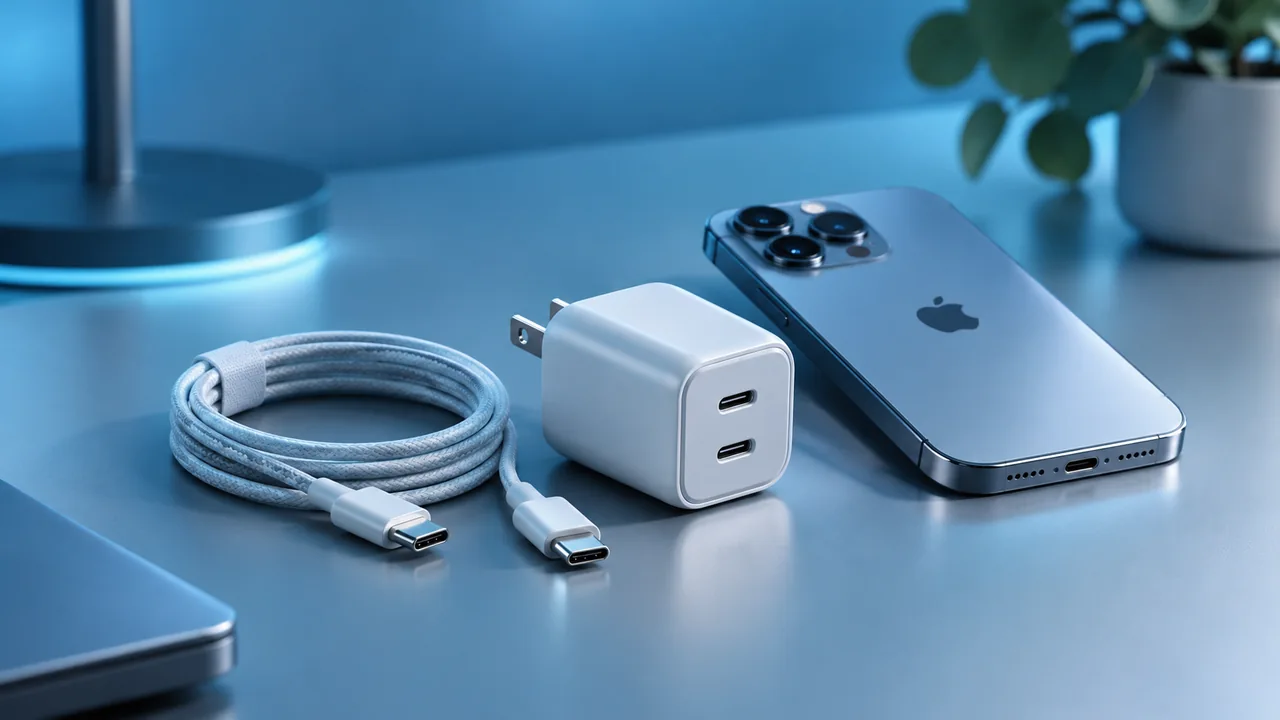
The cable needs to support the power you intend to use, fit securely and withstand daily wear. A cable capable of charging a phone is not necessarily suitable for high-speed data transfers, and specifications should be checked separately. Damaged connectors, poorly made cables and unsuitable long runs can cause problems. When faster charging requires higher-rated cables, confirm their rating explicitly. Choose cables with clear provenance and avoid improvised adapters.
Safety, heat and product traceability
Some warmth during charging is normal, but excessive heat deserves attention. Keep adapters ventilated and do not cover them with fabric. Check the manufacturer, importer, warranty and product documentation. European regulatory markings matter, but they do not replace sensible quality checks. Reputable suppliers and transparent electrical specifications are preferable to products that promise implausible performance without evidence.
Value depends on your actual setup
A single-port charger may be all you need if you charge your iPhone overnight. A compact three-port charger can simplify travel and desk setups when several devices share a socket. Consider your real devices, simultaneous use, travel plugs, size, weight and whether a cable is included. The right product fits your setup without unnecessary adapters or expensive specifications you will never use.
A practical buying checklist
Confirm the exact iPhone model; USB-PD and AVS when applicable; effective output on each port; cable quality and power rating; manufacturer identity and warranty. Then compare dimensions, port count and price. For multiple devices, assess power distribution under simultaneous load. Remember that the iPhone manages charging to protect the battery, so actual results vary with temperature, remaining charge and usage. A sound purchase begins with documented capability, not marketing slogans.
Frequently asked questions
Can a 100W charger harm my iPhone?
A well-made compatible USB-C adapter negotiates the supply; the iPhone does not automatically take 100W.
Is GaN always faster?
No. GaN can improve size and efficiency; speed still depends on protocols and negotiated power.
Can I use a Mac charger?
Usually a compatible USB-C adapter can charge an iPhone, subject to cable and model requirements.
Compatibility and output may vary by accessory and iPhone model.
Apple — Fast charge your iPhone ↗ Apple — Charge and connect with USB-C ↗Key takeaway
Start with compatibility for your exact model, followed by safety and real-world usability, and only then price. Headline power, protection or capacity numbers are not a substitute for checking real conditions.
For cases, chargers and screen protectors in one place, see our 2026 iPhone accessory buying guide.